Download

You take the notes. You do everything right. So why can’t you find anything?
“You said you take notes and by the end can’t remember.”
“I am a copious note taker. I have volumes filled and couldn’t make sense of anything.”
“I love buying productivity stuff.”
That last one stings a little. (The notebook graveyard in your drawer knows.) New system, new notebook, new app. Every time., And somehow the notes pile up faster than you can ever use them.
The problem isn’t that you’re disorganised. It’s not that you take bad notes.
It’s that capture and retrieval are two different skills. Almost every note taking app is only ever built for the first one.
The gap nobody designed for

You leave the room knowing everything. Two days later you’re scrubbing through 40 minutes of audio for one sentence.
That’s post meeting amnesia. It’s not a you problem. It’s a design gap.
Noted is an iPhone, iPad and Mac app for recording, transcribing and searching your notes using AI. The Ask AI feature lets you search any audio recording using plain language questions, no keywords, no timestamps, no scrubbing required.
Unlike apps that only transcribe audio, Ask AI in Noted understands your question and pulls the exact answer from anything you’ve ever recorded, then jumps straight to that moment.
Ask in plain words. Get the answer. Tap the timestamp and jump straight to that moment.
Three life moments you’ll recognize
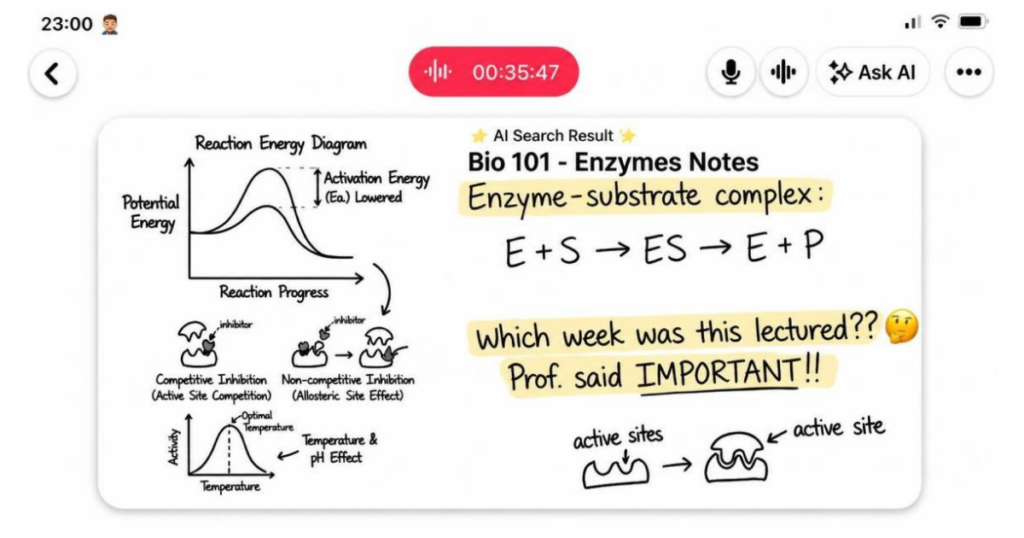
The student at 11pm before her biochem exam
Biochem paper in 12 hours. Maya needs the exact definition her professor gave for enzyme-substrate specificity. Wrong week, wrong lecture, no idea.
She opens Noted, taps ✨, asks: “What did the professor say about enzyme-substrate specificity?”
Answer in seconds. She hears it in her professor’s own words.
That’s the one.
The professional on a live call
David’s follow-up call. Thirty seconds in: “So what did we land on for the timeline last week?”
Sparse notes. No answer in sight.
He opens Noted and asks: “Did we agree on a timeline?”
The answer comes back with a timestamp. He taps it, hears the exact moment, answers before the client finishes the question.
Nobody knows he just asked his own notes.
The manager who forgot what the team decided
Leon’s notes from the planning session: “beta. discussed. see recording.” Truly inspired stuff, past Leon.
Nine days later. June or July? He genuinely cannot remember.
He opens Noted and asks: “What did we decide about the beta launch date?”
Mid-July. Brief written. Leon considers himself a genius.
The shift
One Noted user described it like this:
“I went from ‘let me check my notes’ to knowing exactly where every project stands.”
That didn’t come from taking better notes. It came from being able to use the ones they already had.
Ask AI in Noted doesn’t change how you capture. It changes what capture is worth.
How to get started
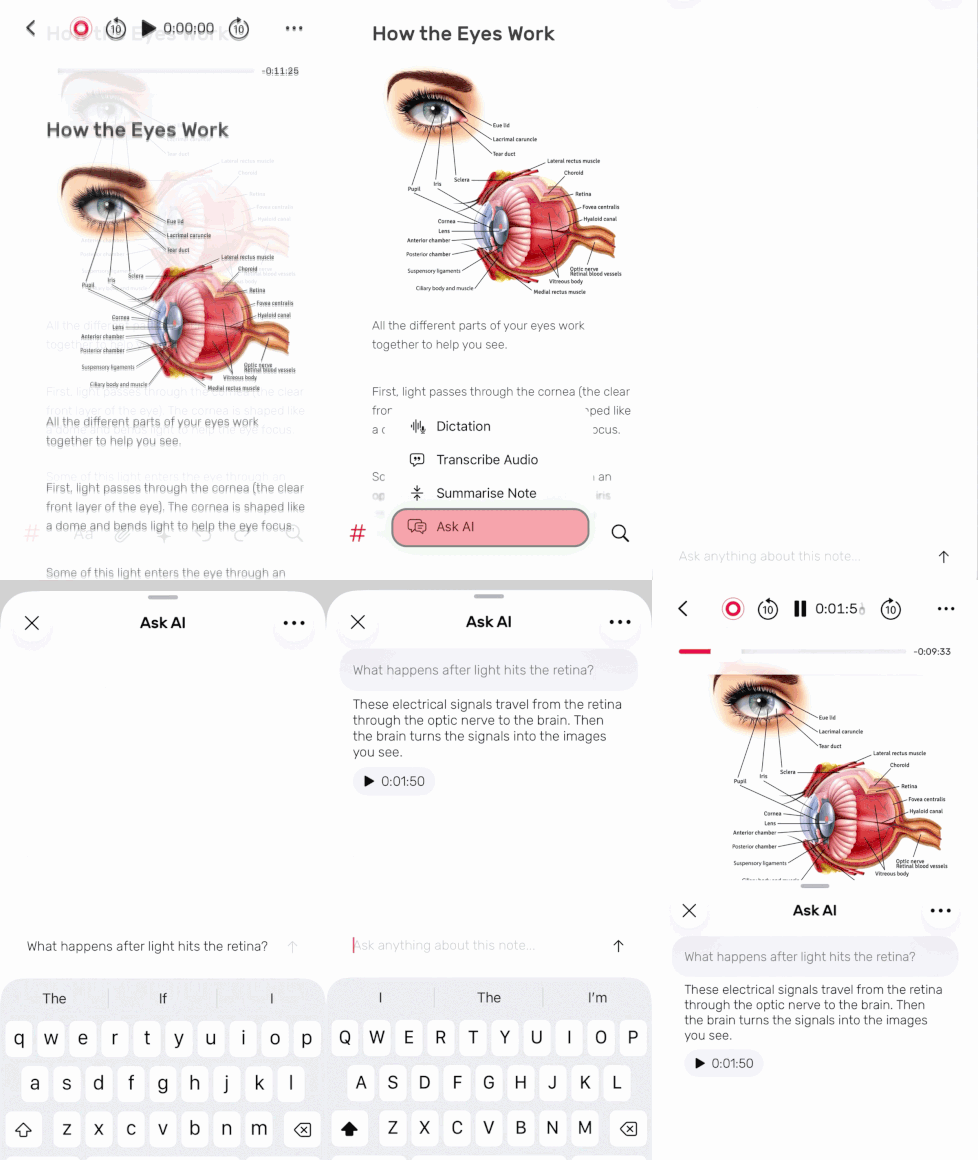
1. Open any recording in Noted and tap the ✨ icon
2. Select Ask AI and type your question.
3. Get your answer. Tap the timestamp to jump to that moment in the audio.
Update to the latest Noted version on the App Store & Mac App Store
Available on iPhone, iPad and Mac. Ask AI uses Apple Intelligence *
Your notes always had the answer. Now you can ask for it.