 Download
Can't find the answer you're looking for? Don't worry we're here to help!
Contact UsRelated Articles:
Tags:
Noted offers a range of tools to format your notes. You can find them by tapping/clicking on the Aa icon on the Editor Toolbar located at the bottom of your screen or the top if you’re a Mac user.
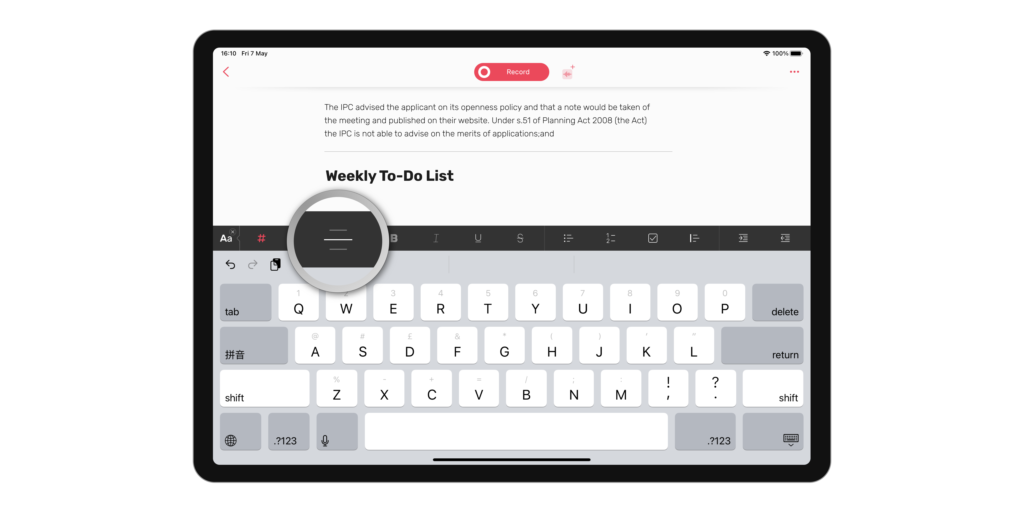
Below is a breakdown of all the text-formatting tools you can use to style your notes:
Header Large
Header Medium
Separator
Bold
Italic
UnderlineStrike
• Bullet list
1. Number list
Quote
☑ Checkbox
Increase indent
Decrease indent
On iOS devices, you can swipe to increase and decrease indent:
If you make a mistake or you change your mind about a particular formatting choice, you can easily edit it using the Undo and Redo buttons on the Editor Toolbar, or shortcuts ⌘Z and ⇧⌘Z on Mac.
Can't find the answer you're looking for? Don't worry we're here to help!
Contact Us