




How do I play a recording through my iPhone's ear speaker?
Last updated
On iPhone, tap ⋯ at the top right of a note and choose Use Ear Speaker, then hold your iPhone to your ear. Choose Use Loud Speaker to switch back. Playback carries on from the same moment. Record & PlaybackShort answer
On iPhone, tap ⋯ at the top right of a note and choose Use Ear Speaker, then hold your iPhone to your ear. Choose Use Loud Speaker to switch back. Playback carries on from the same moment.
Sometimes you need to listen to a recording without playing it out loud, whether you’re on a train, in an open-plan office, or in a waiting room. If you don’t have your headphones with you, Noted can play recordings through your iPhone’s ear speaker, just like during a phone call. Simply hold your iPhone to your ear and listen.
- Open a note and tap ⋯ at the top right.
- Tap Use Ear Speaker.
- Hold your iPhone to your ear to listen to the recording.
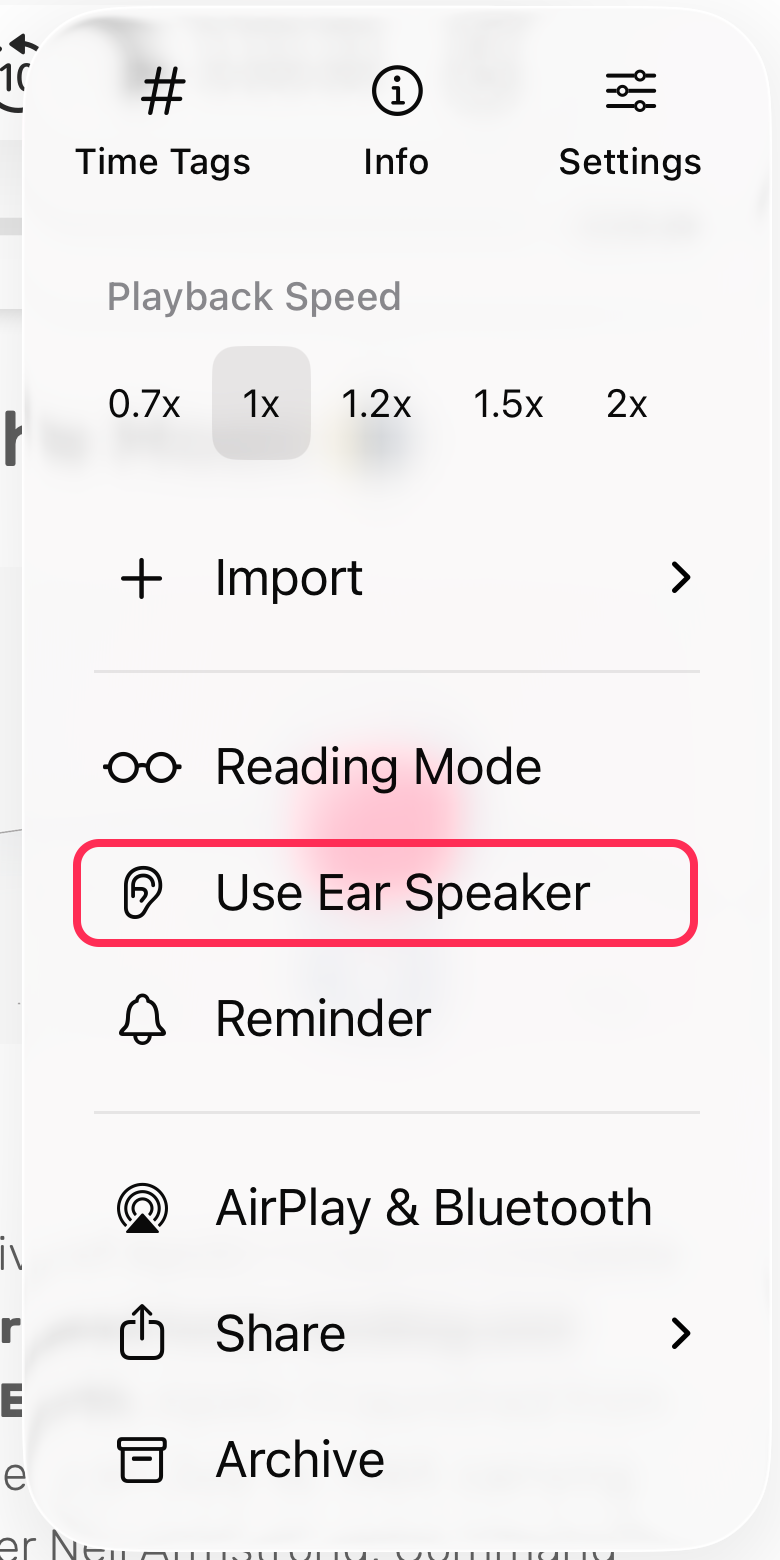
To switch back to the normal speaker, tap ⋯ again and choose Use Loud Speaker. If a recording is already playing, playback continues from the same moment.
Note: This feature is available on iPhone only. iPad and Mac don’t have an ear speaker.