




What is Intelligent Playback and how do I turn it on?
Last updated
Intelligent Playback skips silence and noise such as applause automatically. On iPhone and iPad, tap ⋯ → Settings in a note and turn on Skip Silence; on a Mac, click the 1x button next to Play and tick Enable. Record & PlaybackShort answer
Intelligent Playback skips silence and noise such as applause automatically. On iPhone and iPad, tap ⋯ → Settings in a note and turn on Skip Silence; on a Mac, click the 1x button next to Play and tick Enable.
Intelligent Playback is powered by AI Machine Learning to detect and skip over silence and noise like applause in a recording automatically, allowing you to focus on the most important parts.
Enable Intelligent Playback
iOS
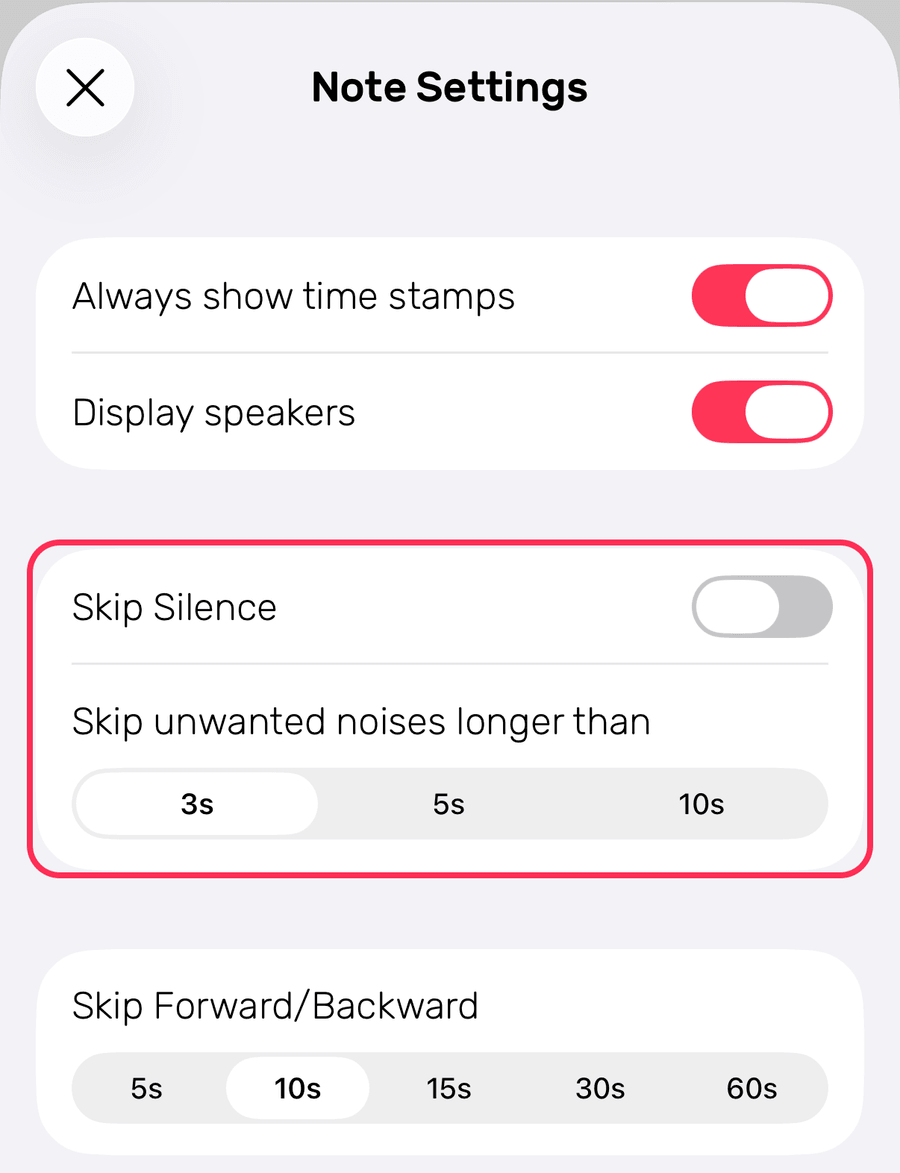
In a note, tap ⋯ → Settings and turn on Skip Silence. Under Skip unwanted noises longer than, choose 3s, 5s or 10s.
To change it for all your notes, go to Settings → Record & Playback.
macOS
Click the 1x button next to Play, then tick Enable.
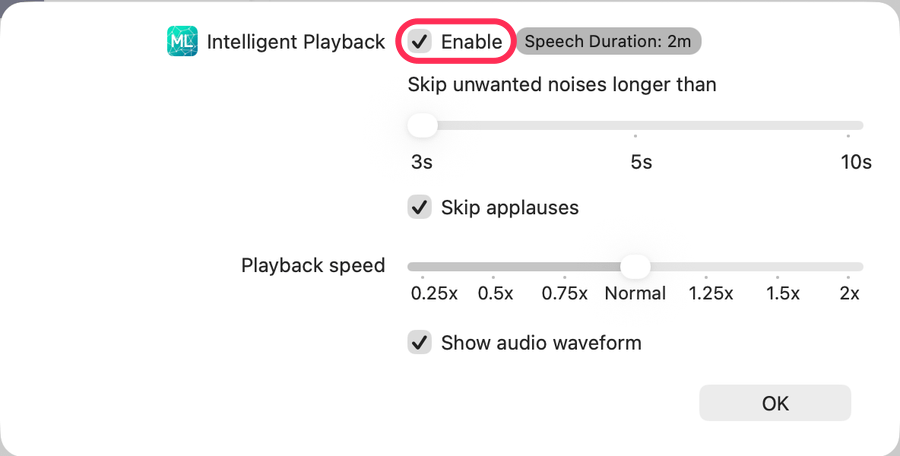
You can also adjust the duration of background noise you want to skip and choose whether you want to skip applause.