



iPhone Duo is out today, and Noted is ready for the new fold.
Noted 7.1 is on the App Store now, adapting to the way you hold iPhone Duo. Open it flat, fold it like a book, prop it up on the table, or close it. Your notes stay connected to your recordings, with every line just a tap away from the moment it was spoken.
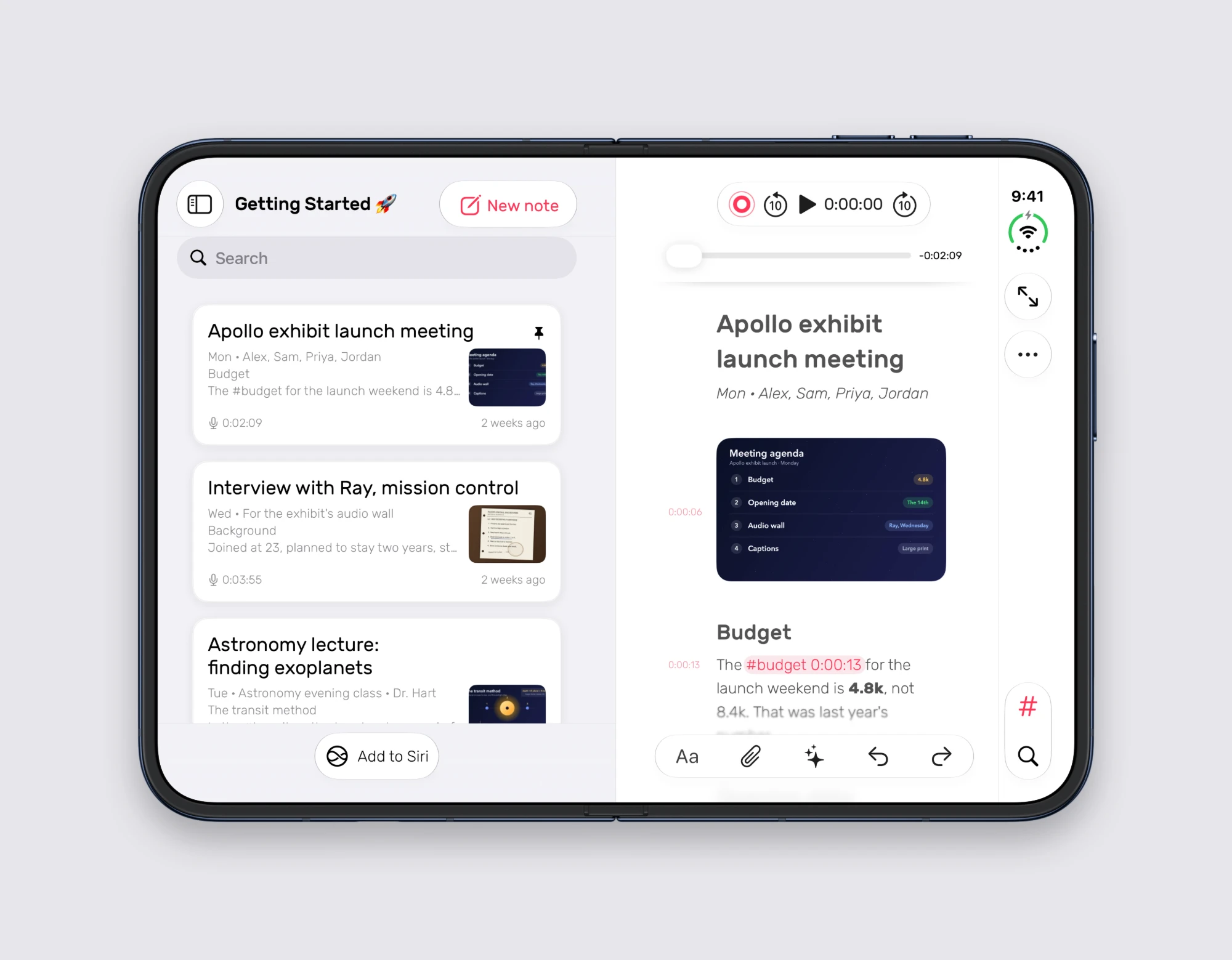
Open flat: your notes, side by side
Open Duo all the way and Noted lays itself out like it does on iPad. Your notebook sits on one side and your current note on the other, so you can move from Monday’s meeting to Wednesday’s interview without losing your place.
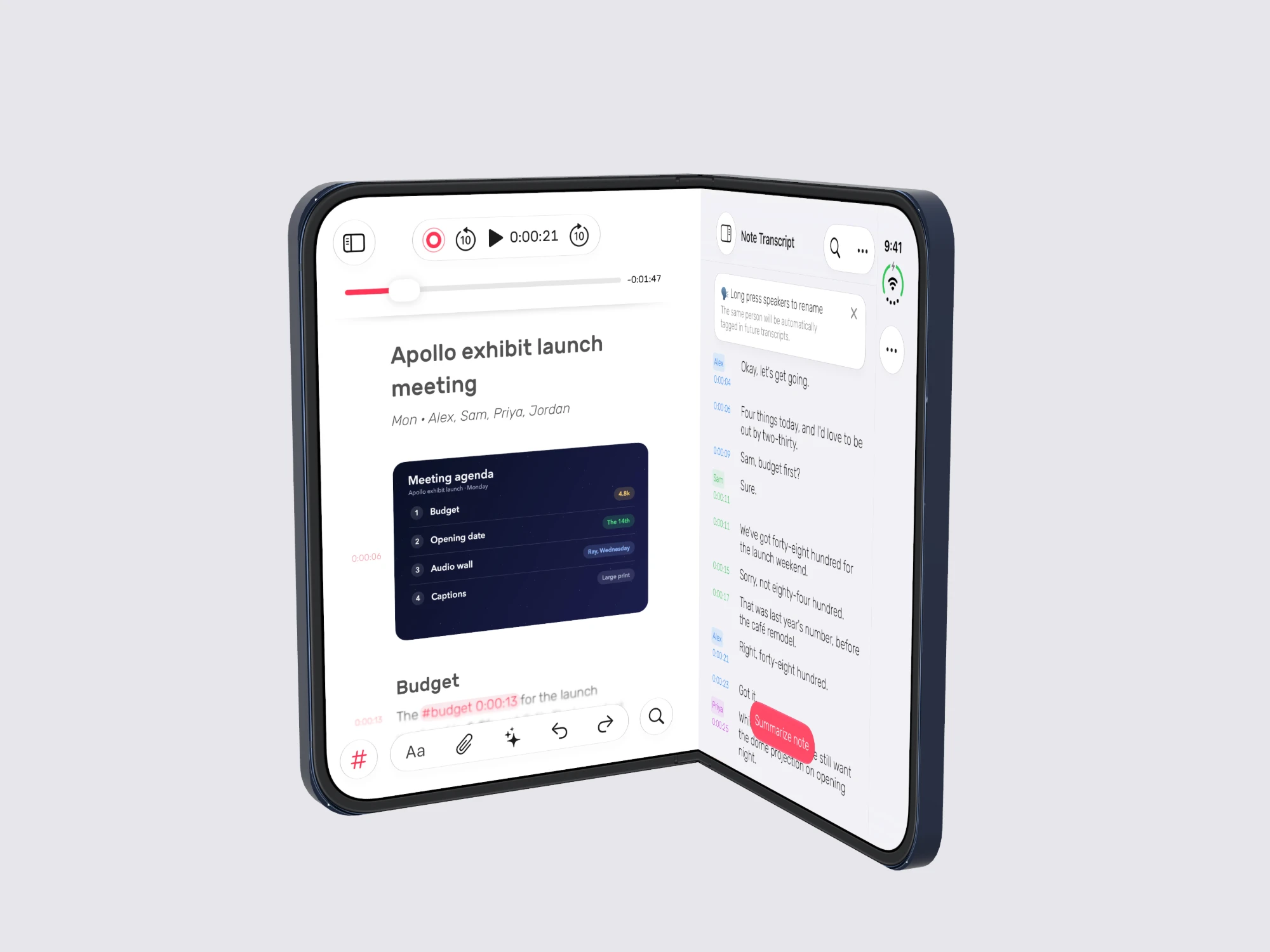
Folded like a book: your note and its transcript
Have a transcript? Keep it beside your note. Hold Duo partly folded, like a book, and your own words sit on one side, while the transcript shows what was said, with a speaker’s name and timestamp next to every line.
Propped up on the table
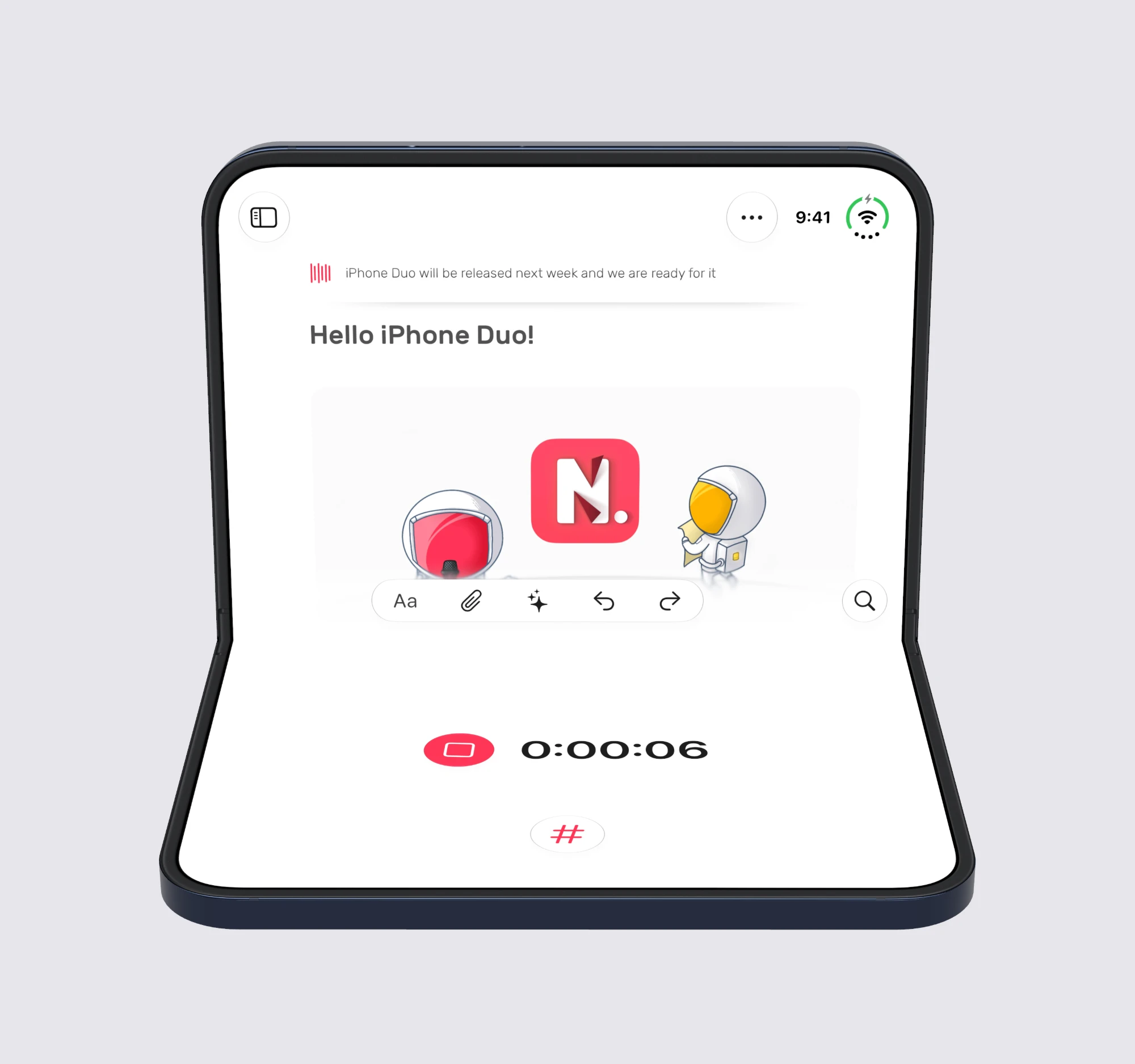
Fold Duo partway and set it down on the table during a meeting or lecture, like a small laptop, and Noted splits across the fold. Your note stays on the upright screen, where you can read and scroll. The record button, timer and # button move to the half lying on the table, large and within easy reach.
When you play back a recording, that lower half becomes your player, with the scrubber and playback controls right under your thumbs. Find a line in your note, tap it, and hear that moment again.
Closed: ready when you are
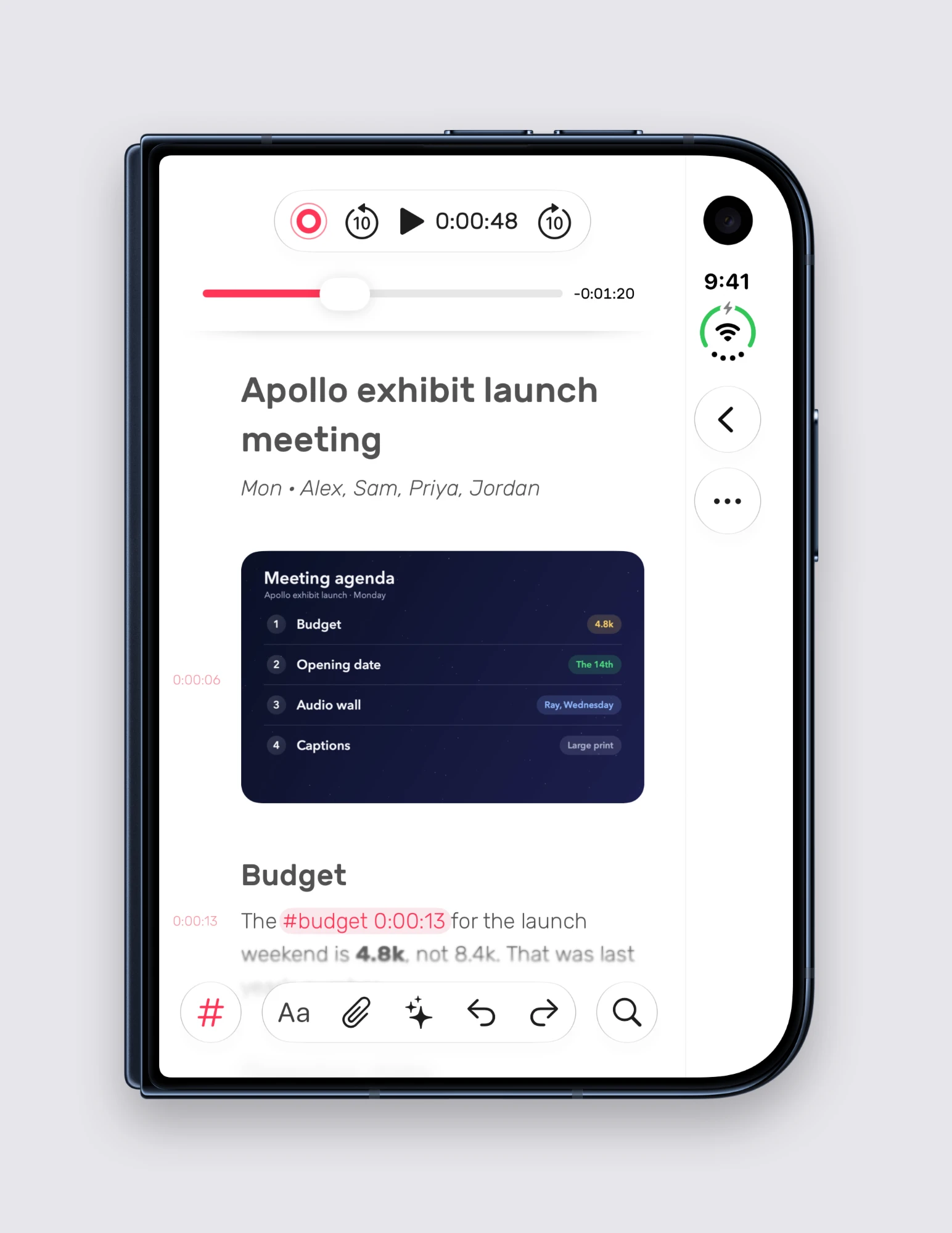
Close it and Noted works just as you’d expect on a familiar iPhone. Record, type a few words, then tap a line to hear that moment again. The player stays at the top, with # and search in the toolbar.
Everything else comes with you
- Every line linked to its moment. Type while you listen, then tap any line later to hear the corresponding audio.
- #TimeTags. Type # and a word while recording, and find all your tags together in the Tags tab across your notes.
- On-device transcripts. See who said what, with a name next to each speaker.
If you’re recording someone, ask them first. Most people are happy to agree, and you can both return to what was said.
Get Noted on the App Store
Find the exact moment.