




Ever recorded something important, only to struggle to hear it back? We’ve made that easier.
Noted 7.2 brings clearer voices to your recordings, more flexibility when working with your notes, and a few handy improvements to make capturing meetings easier on Mac.
Here’s what’s new.
Hear voices more clearly with Enhance Voice
Recorded a meeting in a busy café? Or struggled to hear someone speaking quietly?
With Enhance Voice, you can make conversations easier to follow. Background noise like coffee machines, air conditioning and nearby chatter is turned down, while quieter voices become easier to hear.
To try it, open a note, tap ⋯, go to Settings and switch on Enhance voice.
And don’t worry, your original recording stays untouched. You can turn the feature off whenever you want to hear the original audio.
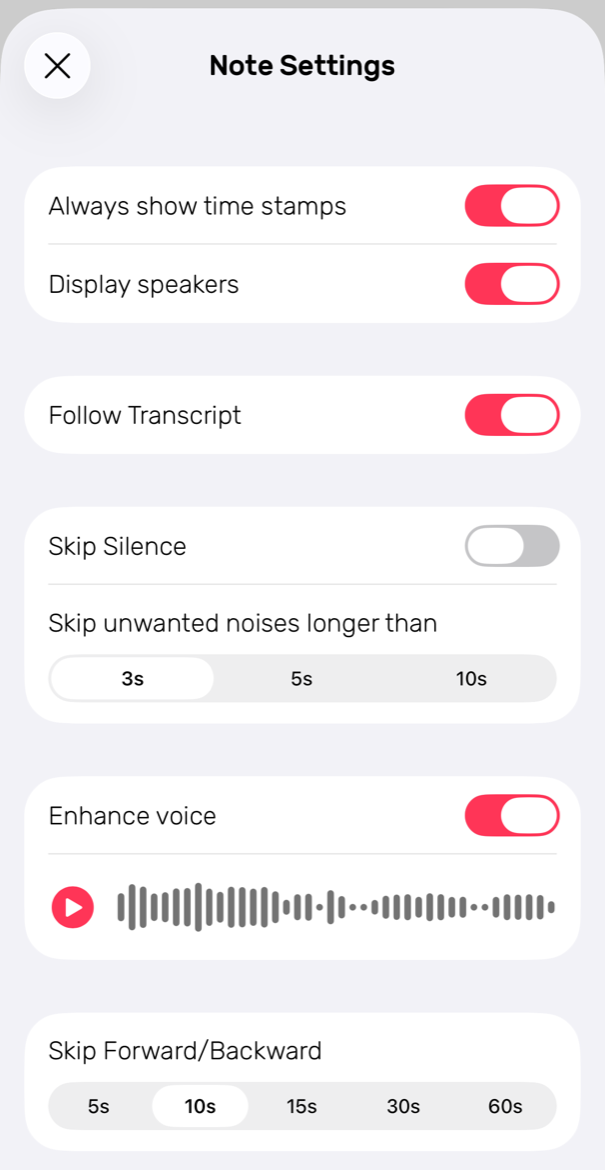
You can also tap any line in your notes to jump straight to that moment in the recording, with clearer voices during playback.
Available on iPhone, iPad and Mac, including iOS 17 and 18.
Take your notes further with Markdown export
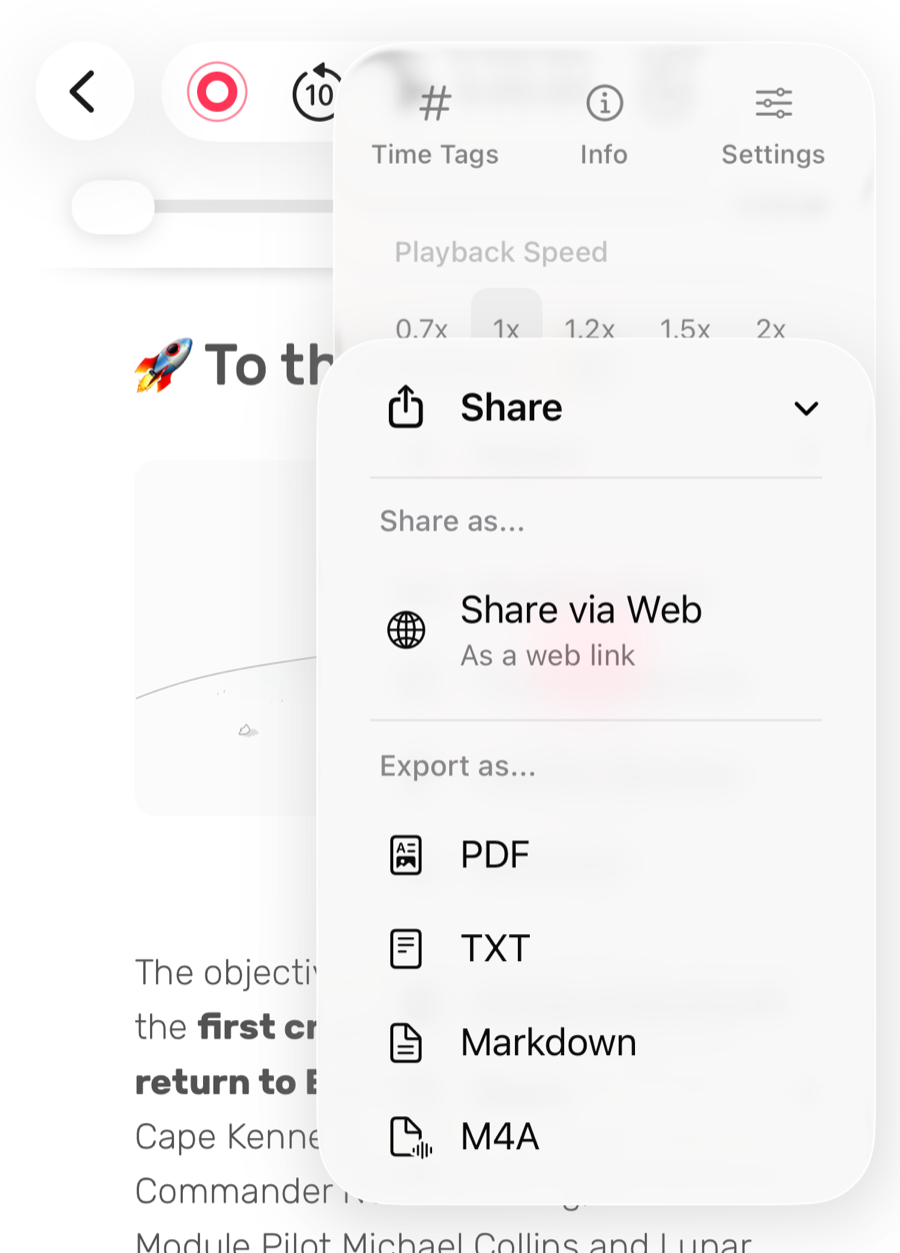
Want to work with your notes in other apps? You can now export them as Markdown files.
Simply tap ⋯, choose Share, and select Markdown under Export as.
Your headings, lists and formatting are preserved, along with your photos and drawings. Everything is bundled together in one ZIP file, making it easier to move your notes into your favourite writing tools, Markdown editors or AI tools.
Choose when timestamps appear
Sometimes you want to capture every moment of a conversation. Other times, you just want to write without interruptions.
You can now choose whether Noted automatically adds timestamps as you type, giving you more control over how your notes look.
Change the setting for each note whenever you like:
- iPhone and iPad: Open the editor menu.
- Mac: Go to the View menu or use ⇧⌘T.
Your ability to jump back to the recording remains available when timestamps are enabled.
A more comfortable experience on iPhone
Noted now supports landscape mode on every iPhone, giving you more room to read, write and organise your notes.
It also supports the foldable display on iPhone Duo, making better use of the available screen space. See Noted on iPhone Duo.
On Mac: Make every meeting count
Two improvements make it easier to capture conversations and keep track of what was discussed.
Know who said what
When you record your screen, Noted now transcribes conversations as they happen. Once recording finishes, it can identify the speakers, so it’s easier to see who said what in your transcript.
No more guessing who made that important point. Learn how to record your screen in Noted.
Never miss the start of a meeting
Starting a call in Zoom, Slack, Teams, Webex or Discord? Noted can now remind you to record it.
Just click Record when the prompt appears, and Noted will start a new recording for your meeting.
If you’re using headphones, choose Screen Recording instead. This captures both your microphone and the other participants’ audio.
Prefer not to see the reminder? You can turn it off under Noted’s Record settings by disabling “Ask to record when a meeting starts”.
A few more improvements
We’ve also made some smaller improvements to make Noted a little better to use:
- Easier to find your notes: Summaries now have their own titles, making them easier to recognise and organise.
- Better playback: Enjoy smoother audio playback and more reliable speaker identification.
- More reliable captions: Live captions are now steadier.
- Bug fixes: Fixed an issue where old text could reappear after restarting a transcription, and restored the ability to drag notes into notebooks on macOS 27.
Get the latest version
Update Noted on the App Store or Mac App Store to try the latest improvements.
Capture every detail. Hear every voice. Make more of your notes.