




A summary tells you what was decided. The recording tells you what was actually said.
AI summaries are everywhere now. Record the meeting, get five neat bullet points, move on.
It feels like the problem is solved. Until someone asks, “Wait, who said we’d ship in July?” and your five bullet points just stare back at you.
A summary is a shortcut. It isn’t a record.
What a summary leaves out
A summary is a decision about what mattered. That’s what makes it useful. It’s also what makes it incomplete.
It drops the tone. “We could maybe look at July” becomes “Launch: July.”
It drops the caveats. The “only if legal signs off” that came right after.
It drops who said it. A commitment from the client and a guess from the newest person in the room look identical as bullet points.
Most of the time, that’s fine. The one time it isn’t is usually the time it matters.
When the summary is all that’s left
Plenty of tools transcribe, summarise, and then let the audio go. Tidy. Lightweight.
But the moment you need to check a detail, there’s nothing to check it against. The summary becomes the only version of events, and there’s no easy way to check what was actually said.
You didn’t record the meeting to end up with less certainty than you started with.
Get the summary. Keep the recording.
Noted works the other way round. The summary sits on top of the recording, not instead of it.
Every summary gives you the overview, key points and actions from the conversation. Each point carries a timestamp. Tap it, and Noted plays the moment it came from, in the speaker’s own voice.
Your own notes work the same way. Everything you type while you record is time-stamped, so a half-written line like “legal??” takes you straight back to the conversation that prompted it.
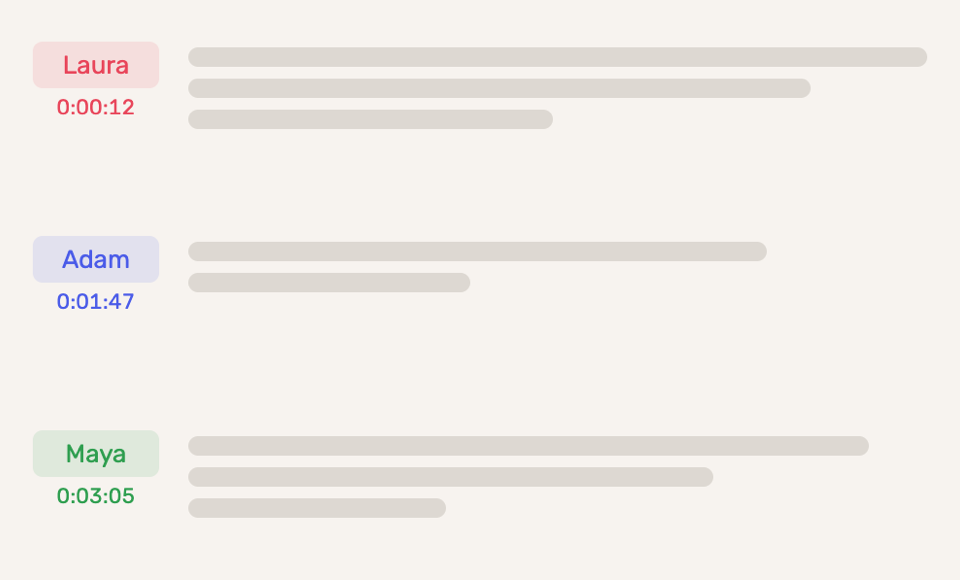
And with Speaker Identification, the transcript shows who said what. “We’ll ship in July” comes with a name attached.
Three moments you’ll recognise
The committee secretary writing up the minutes
The summary says “Budget approved.” The minutes need the amount, the conditions and who proposed it.
She taps the point, hears the motion exactly as it was made, and writes it up with the exact wording and context.
The student checking a definition the night before an exam
The summary lists enzyme specificity as a key point. It doesn’t say how the professor defined it.
One tap, and she hears the exact phrasing her answer will be marked against.
The journalist pulling a quote
The summary caught the gist of the interview. A quote needs the exact words.
He taps the point, finds the sentence, and checks it against the audio before it goes anywhere near print.
How to get started
1. Record in Noted, or open any note that has a recording.
2. Tap ✨ and choose Summarize Note.
3. Tap the timestamp next to any key point to hear the moment it came from.
Update to the latest version of Noted on the App Store & Mac App Store
Summaries are part of Noted+.
A summary tells you what happened. The recording shows you.