


The short answer: If your main goal is recording lectures, meetings or interviews and quickly finding specific moments later, Noted is the better app, with notes linked to the audio, #TimeTag and on-device transcription. Notability is still excellent for handwriting, Apple Pencil and annotating PDFs.
Noted vs Notability: two different approaches to note-taking
A good note-taking app should help you do more than save what you write. In a lecture, meeting or interview, the details you miss can matter just as much as the notes you manage to take.
That’s where Noted stands out. It brings your notes and audio recordings together, so you can capture a conversation, mark the moments that matter and return to exactly what was said. With timestamped notes, #TimeTag, Intelligent Playback, on-device transcription and Apple Watch recording, Noted is designed around the recording itself.
Notability is a capable note-taking app, particularly for handwriting, Apple Pencil and PDF annotation. But if you record lectures and meetings and want to find the important details afterwards, Noted is the better fit.
The core difference
In many note-taking apps, audio is something you attach to a page. In Noted, the recording is part of the note from the start.
Every line you type is timestamped to the moment it was said. Tap a line and you can hear that part of the recording again. You don’t have to scrub through an hour of audio or guess where a detail came up.
That connection between your notes and the original recording is what makes Noted one of the best apps for recording lectures, meetings and interviews on iPhone, iPad and Mac. Your notes help you find the moment, and the recording gives you the context.
What makes Noted different?
Find important moments instantly with #TimeTag
Ever tried finding one important detail in a two-hour lecture recording?
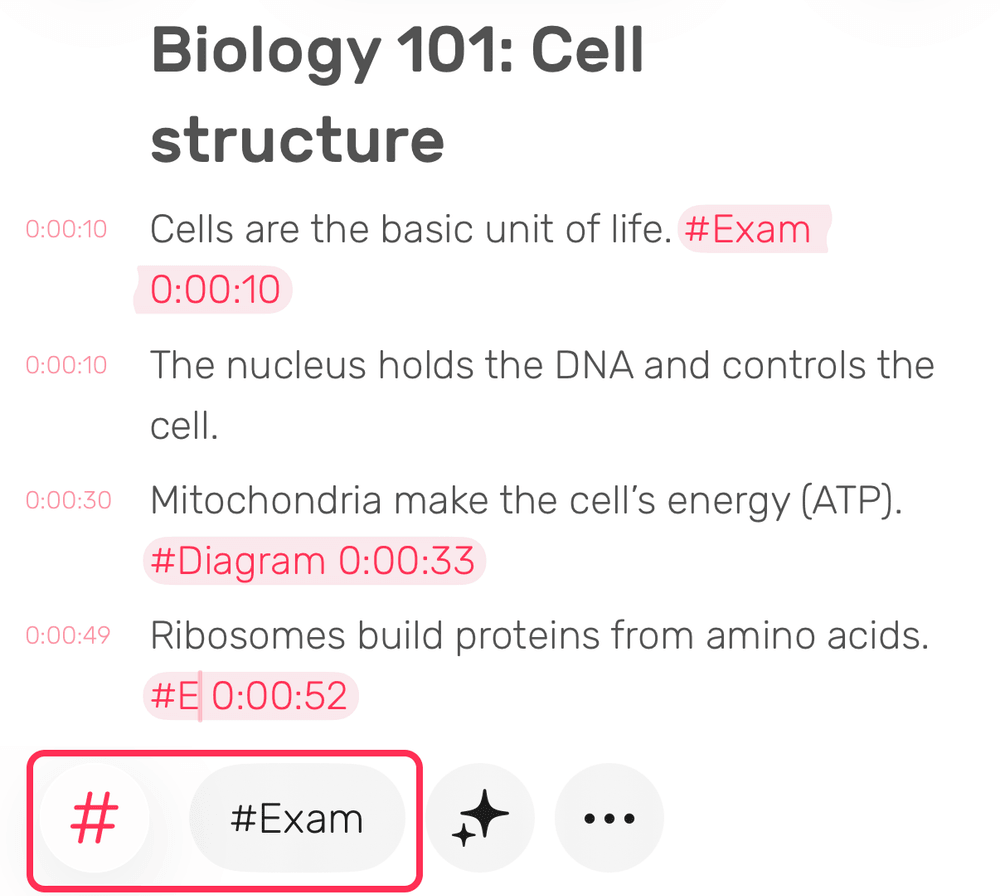
With #TimeTag, tap the # button when something matters. Noted marks that moment, so you can jump straight back to it later. You can also open the Tags tab to see every note that uses a particular tag.
Use tags such as #Exam, #FollowUp or #Idea to make important moments easier to find when you review your notes.
Spend less time listening back with Intelligent Playback
You don’t need to sit through every pause to review a recording.
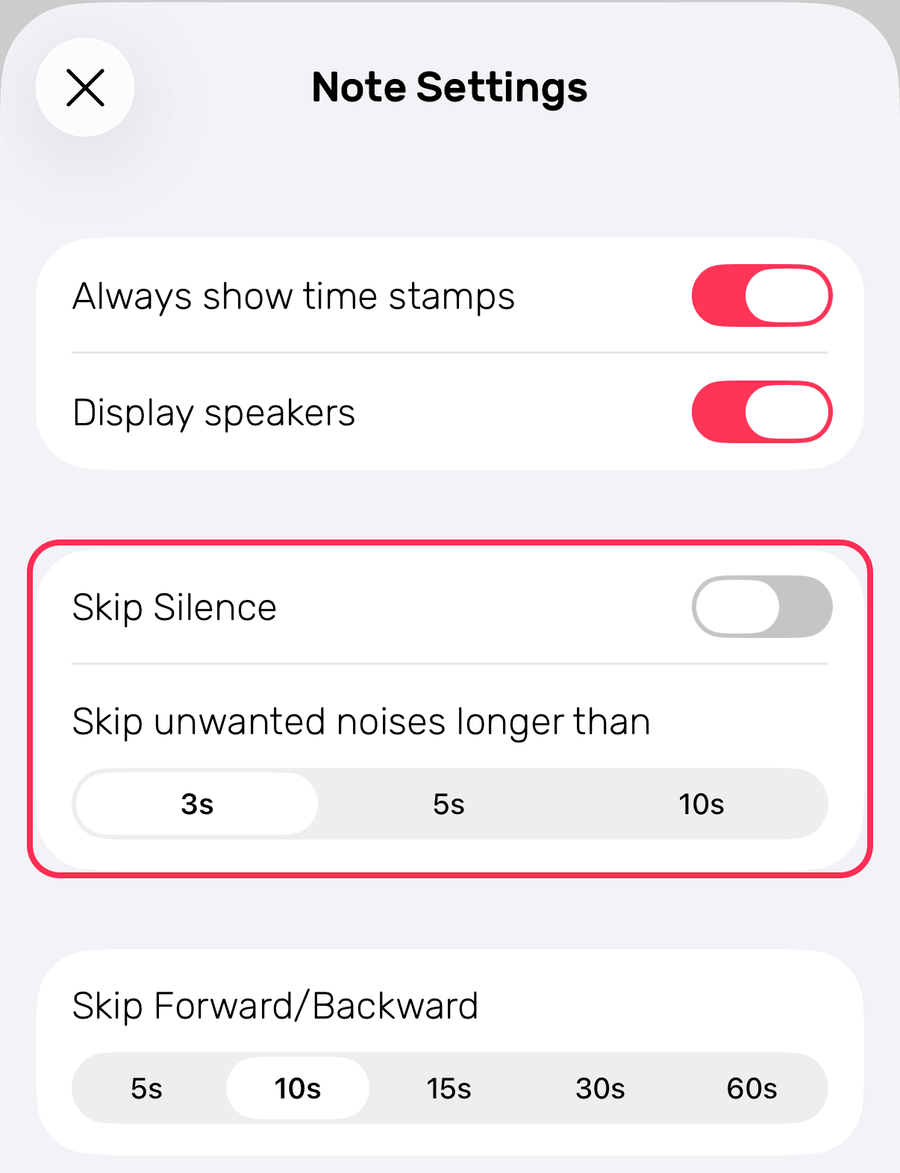
Intelligent Playback skips silences, while voice enhancement and noise reduction make speech easier to hear. You can choose how far the skip buttons jump and adjust playback speed from 0.7x to 2x.
It’s a practical way to get through long lectures and meetings more efficiently, while keeping the spoken content available when you need it.
Transcribe privately, even without an internet connection
Noted transcribes directly on your iPhone, iPad or Mac, in over 90 languages. Transcription runs on your device rather than sending your recording to a cloud transcription service.
You only need an internet connection to download a language the first time. After that, you can transcribe offline, whether you’re travelling, on a plane or in a lecture hall with poor signal.
Live Transcription can write down words as they’re spoken on iPhone and iPad with iOS 26, and on supported Macs.
Record from your Apple Watch
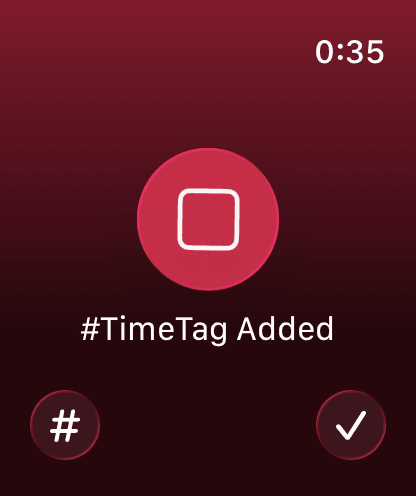
Sometimes taking out your phone isn’t practical. With Noted, you can start a recording from your Apple Watch, tag important moments as you go, and send the recording to your iPhone to add to a note and transcribe.
Keep your notes connected to the original conversation
Noted is built to make reviewing a recording feel natural.
Type on your iPhone during a lecture or meeting and every line keeps its timestamp. If you sketch with Apple Pencil, Time Strokes link each stroke to the audio too. Summaries help pull out key points and actions, while Ask AI lets you ask questions about a note.
Your notes and recordings stay together, so you can move from a quick summary to the original conversation whenever you need more context. Everything syncs to your Apple devices through iCloud.
Noted vs Notability: feature comparison
The biggest difference is what each app is designed to help you do. Noted puts recording and reviewing audio at the centre of the experience. Notability focuses more on handwritten notes, pages and PDFs.
| Feature | Noted | Notability |
|---|---|---|
| Best suited to | Recording lectures, meetings and conversations | Handwriting, PDFs and handwritten study notes |
| Note-taking with audio recording | Built around it | Available |
| Tap a note to hear that moment | Every typed line and sketch stroke | Written words, sketches and photos |
| Mark important moments | #TimeTag | Not described in Notability’s help pages |
| Skip silence | Intelligent Playback | Not described in Notability’s help pages |
| Transcription | On-device, over 90 languages, works offline | Processed online; unlimited on higher plans |
| Live transcription | Included on supported devices | Pro plan |
| Apple Watch recording | Yes | No Apple Watch app listed on the App Store |
| Handwriting and PDF annotation | Sketch with Apple Pencil; attach PDFs | Advanced handwriting, PDF markup and handwriting search |
| Flashcards and quizzes | Not available | Available |
| Platforms | iPhone, iPad, Mac, Apple Watch and Vision Pro | iPhone, iPad, Mac, Vision Pro, Android, Windows and web |
| Try before paying | 7-day free trial on the yearly plan | Free Starter plan with 5 notes |
| One-time purchase | Lifetime, while available | Classic one-time purchase listed on its pricing page |
Notability details are from its pricing page, help centre and App Store listing, checked on 24 November 2026. Notability’s transcription help page says audio is processed when your device is connected to the internet, and that transcription is not available in mainland China, Hong Kong or Macau.
Where Notability may be a better fit
Notability has strengths worth considering, especially if your notes are primarily handwritten or built around documents.
Handwriting and Apple Pencil. Notability is designed around a page you write on. Its handwriting recognition lets you search what you’ve written by hand. Noted also has Sketch for drawing and handwriting, but its notes are typed first.
PDF annotation. Notability lets you mark up PDFs, textbooks and lecture slides directly. Noted lets you attach PDFs to a note, but it doesn’t offer the same PDF annotation workflow.
Flashcards and study tools. Notability can turn notes into quizzes and flashcards, and lets you chat with your notes. Noted offers summaries and Ask AI, but doesn’t currently include flashcards.
More platforms and a free plan. Notability is available on Android, Windows and the web as well as Apple devices. Its free Starter plan lets you keep five notes. Noted is designed for Apple devices, with a separate, simpler Android app, and offers a 7-day free trial on its yearly plan.
These differences matter, but they don’t change the central choice: if you mainly write by hand and annotate documents, Notability has the tools for that. If you mainly record and need to return to what was said, Noted is built around that workflow.
Pricing and plans
Noted keeps its plans simple. Noted+ includes every feature, with monthly, yearly and Lifetime options. The yearly plan starts with a 7-day free trial, and Lifetime is available while the offer lasts. See Is Noted free, and what’s included in Noted+?.
Notability has a free Starter plan with five notes, plus paid Lite, Plus and Pro plans and a Classic one-time purchase. Transcription is limited on Plus and unlimited on Pro, while live transcription is included with Pro.
Prices vary by country. Check each app’s App Store page for the price available to you before subscribing.
Is Noted a good Notability alternative?
Yes, especially if you record more than you handwrite.
Noted is a strong Notability alternative on iPhone, iPad and Mac for people who want their recordings and notes to work together. Every typed line is timestamped, #TimeTag marks the moments worth revisiting, Intelligent Playback helps you get through long recordings, and transcription runs on your device.
If your workflow is built around handwritten pages and annotated PDFs, Notability may suit you better. But if your priority is capturing what was said and finding it again, Noted is the more natural choice.
Which app is better for students?
For students who record lectures and want to revisit what the lecturer actually said, Noted is the better choice.
Type as you listen, tag a moment with #Exam when the lecturer highlights something important, and return to those exact moments when you’re revising. You can review the transcript, listen to the original audio and use summaries to help organise the material.
If you study mainly by writing on lecture slides with Apple Pencil and revising with flashcards, Notability may be a better fit.
Which app should you choose?
- Choose Noted if you record a lot and want your notes tied to the audio, so you can find and replay specific moments easily.
- Choose Notability if you mostly handwrite notes, annotate PDFs and revise with flashcards.
Whether you’re attending a lecture, interviewing someone or sitting in a long meeting, Noted helps you capture the conversation and find the important moments later. Timestamped notes, #TimeTag, Intelligent Playback, on-device transcription and Apple Watch recording work together in one app.
Try Noted with a 7-day free trial and see how much easier it is to keep your notes and recordings connected.